01
Problem
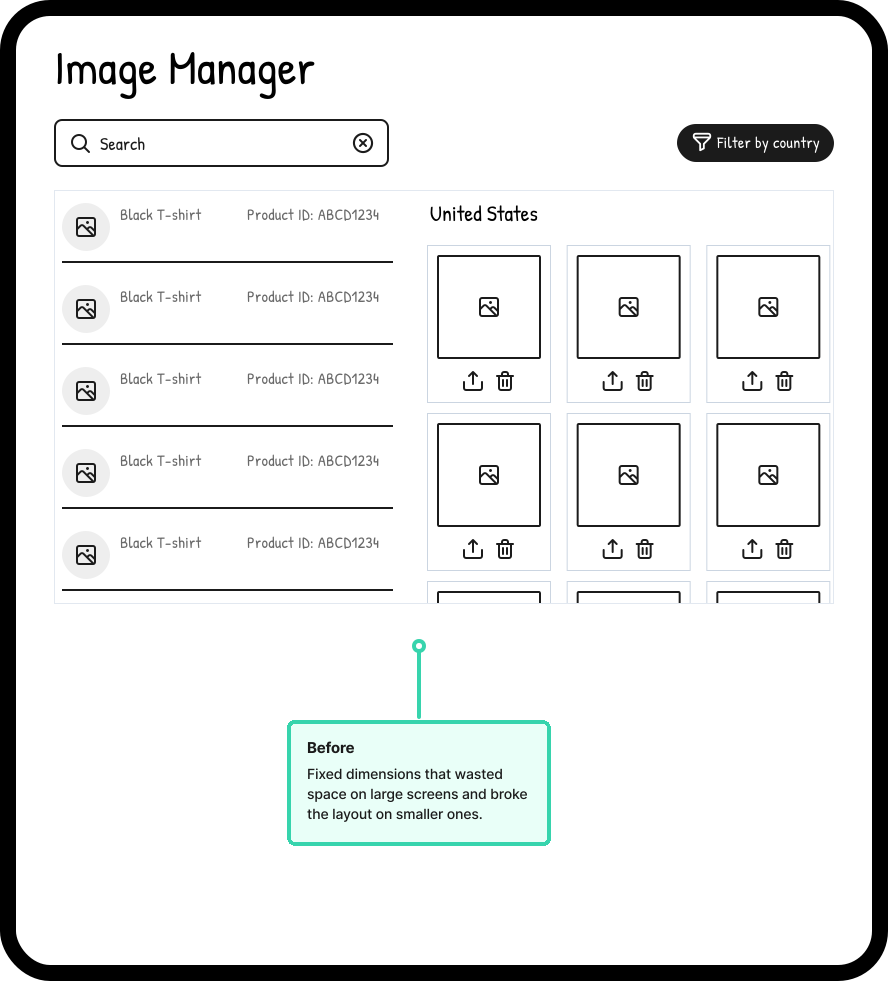
Image Manager is the primary tool sellers use to view and manage their product images after upload. The page had gone largely unchanged for years — built with fixed dimensions that constrained the content area regardless of screen size. On large screens, space was wasted. On smaller ones, the layout broke. Sellers managing large catalogs had to scroll and filter more than necessary just to see what they had.
No one had filed a ticket. I noticed it while using the tool, built a demo on my own time to show what it could be, and brought it to the team. It was approved and prioritized for the next sprint.
02
What Changed
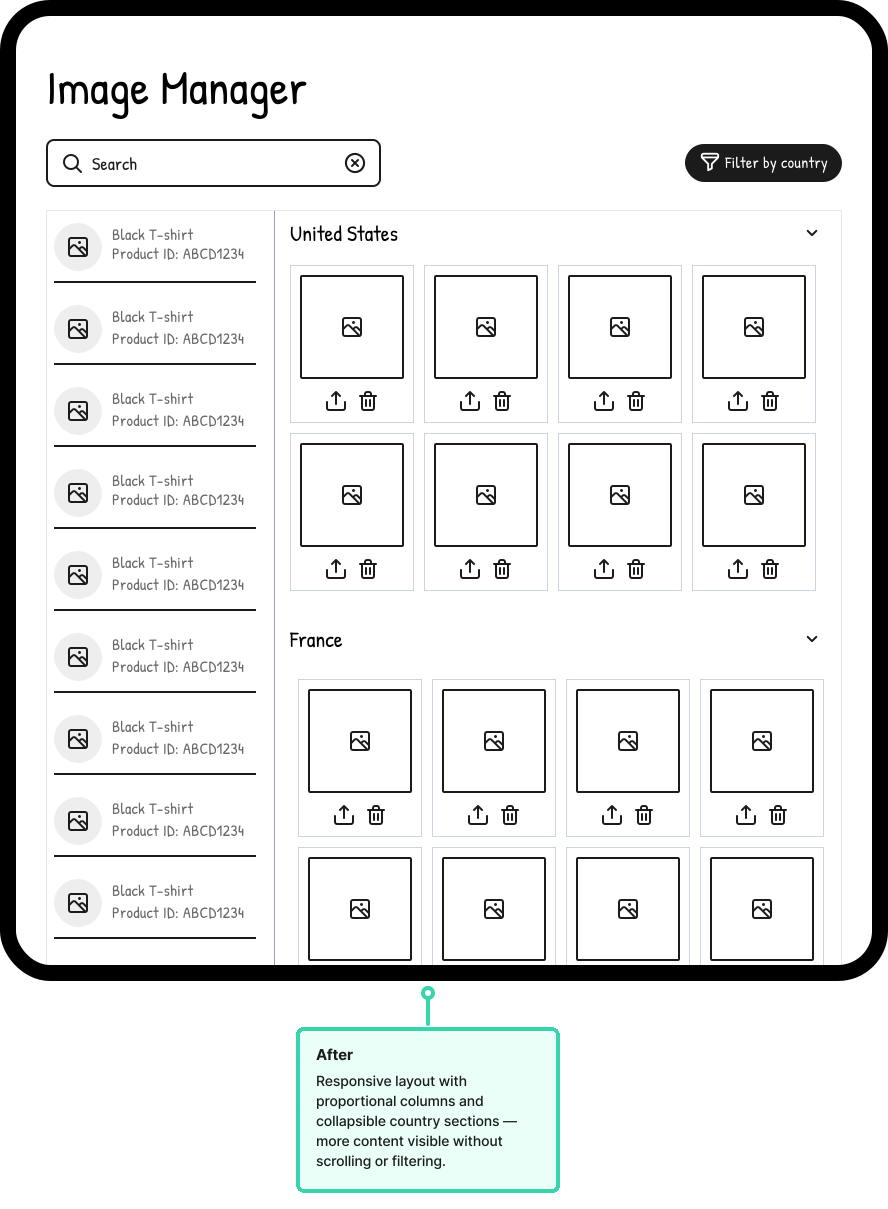
The core fix was making the layout responsive. The content area had been built with fixed dimensions — replacing those with flexible, proportional columns meant the left panel shrank to fit its actual content, giving the image grid the space it needed to breathe. More images visible at once, less scrolling.
The left column also became vertically flexible. The previous layout had fixed row heights that cut off content and made it difficult to surface additional product metadata. The new layout lets rows grow to fit their content, so nothing gets truncated and there's room to add information as the product evolves.
Country sections became collapsible, so sellers with large international catalogs could focus on what they needed without the page becoming unwieldy. A country filter was added at the top for faster navigation across regions.
Smaller improvements rounded it out — the search input was rebuilt to match the design system rather than sitting as a one-off custom component, and several other minor inconsistencies were cleaned up in the process.
03
Outcome
+$41.46M
GMS (75% significance)
The redesign was A/B tested against the original. The test showed a $41.46M increase in GMS, though at 75% statistical significance — a promising signal rather than a confirmed result.
The more telling signal came from usage data. Sellers interacted with more of the page without needing to search or filter first — content that had previously required effort to find was now simply visible. The layout was doing work that users had been doing themselves.
A layout that hadn't been touched in years, rebuilt to be responsive, accessible, and aligned with the design system — the numbers point to real impact, with the caveat that 75% significance is directional rather than definitive.
04
Retrospective
This was a small project with a clear problem and a straightforward fix. The hardest part wasn't the work — it was making the case for it. Unquantified pain rarely makes it onto a roadmap on its own, and “the layout looks like it's from the 1990s” isn't a ticket.
Building the demo first was the right move. It gave the team something concrete to react to instead of a proposal to debate, and it compressed the approval process significantly. That's a pattern worth repeating.
If I were doing it again I'd instrument the page before shipping — having baseline data on scroll depth, filter usage, and time-on-page would have made the A/B results easier to interpret and the case for the improvement easier to make in retrospect.